Tutorials • cPanel
Accessing the database using phpMyAdmin
Learn how to access and manage MySQL or MariaDB databases with phpMyAdmin, an easy-to-use tool. Step-by-step guide available!
Views 1406Updated 1 anPublished on 25/09/2018by Florin P.
Introduction
- In this tutorial we will show you how to access and manipulate the database or databases using the phpMyAdmin application. PhpMyAdmin is an easy-to-use web tool that allows you to manage MySQL or MariaDB databases directly from your browser.
Requirements
- Access to the cPanel account.
Steps
- Log in to your cPanel account using the login details received in the administration email.
- In the cPanel dashboard, navigate to the Databases section and click on phpMyAdmin.

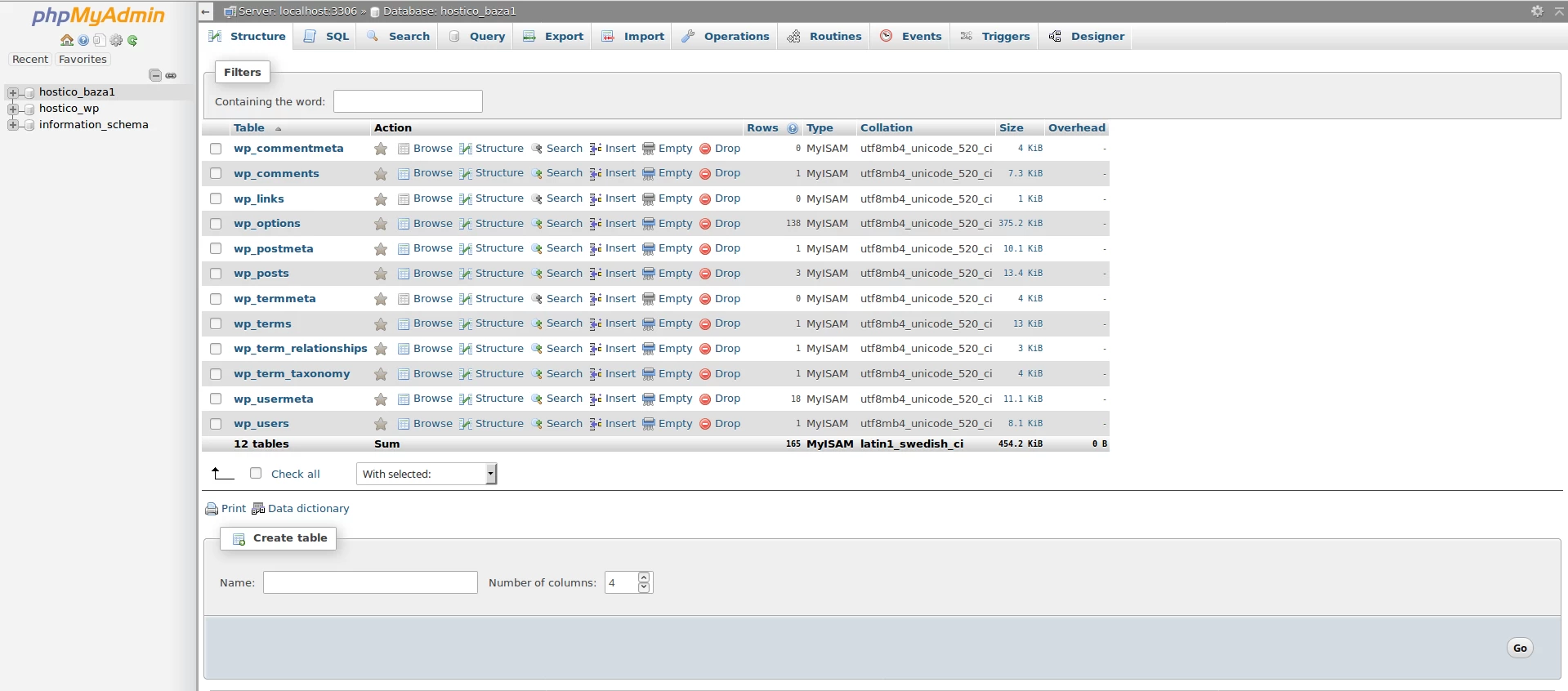
- You will be redirected to the phpMyAdmin interface. On the left side of the screen, you will be able to see the list of databases associated with your hosting account.
- Select the desired database to access its tables and records. Depending on your needs, you can perform actions such as:
- View: Examine the data stored in tables.
- Editing: Modify the records or the structure of the database.
- Import/Export: Import or export database data in various formats (e.g. SQL, CSV).
- Creation: Add new tables, columns, or records.
- Delete: Remove entire tables or databases.
Useful Resources
For more information about the features of phpMyAdmin and how to use it effectively, consult the official documentation: https://www.phpmyadmin.net/docs/.