🌼 Spring Sale — Up to 60% discount for hosting and domains
TutorialsEmail

Creating global email filters in cPanel

Learn how to create global email filters in cPanel to control incoming messages based on the subject. A simple and effective step-by-step guide.

Views 827Updated 1 anPublished on 30/01/2018by Cătălin Adrian

Introduction

This tutorial explains how to configure a mail filter in the cPanel account.

Requirements

  • a cPanel account

Steps to Follow

  • after logging into the cPanel control panel, in the displayed interface, we look for the "EMAIL ADDRESS" section, and there we click on "Global Email Filters"
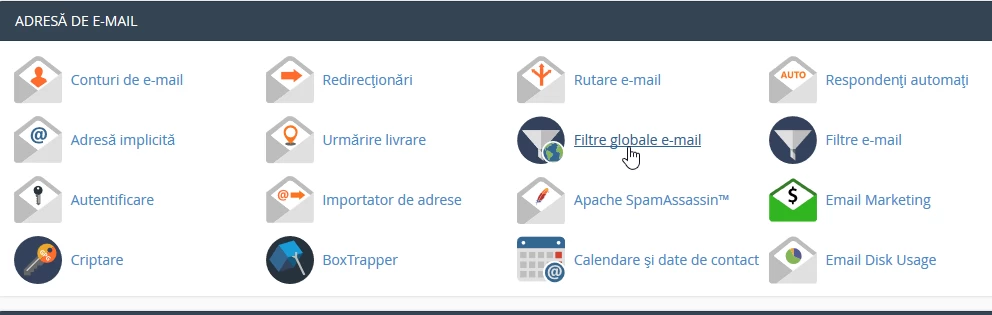
Filtre globale e-mail

  • in the next window click on "Create new filter"
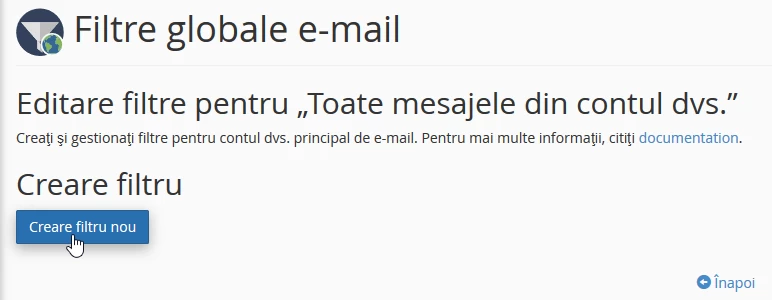
Creare filtru nou

  • In the next window, fill in the box with the desired filter name, in this case "Newsletter"

Nume Filtru

  • on the same page, the filter rules are established according to need, in this case "Subject" which "Contains" in the title the word that will be entered in the box below:

Reguli pentru filtru

  • in this situation, any email that in the SUBJECT will CONTAIN the word "newsletter" will be filtered according to the actions that can be selected from the "Actions" box
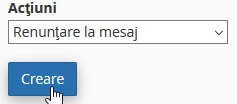
Actiuni de filtrare e-mail

  • after which the "Create" button is pressed

Multiple filters and actions can be added by clicking on the + or - on the right to remove the filter.

Similar Articles

DNS settings in the Webuzo panelTutorials /Webuzo

Learn how to edit and set DNS records in the Webuzo panel. Follow the steps to effectively manage domains and subdomains.

48
by Alexandru Rogojan
Views 2313
Updated 10 months ago
Published on 14/09/2017
Changing the PHP version in cPanel on VPS hosting packages via MultiPHP ManagerTutorials /cPanel

In this article, we will present the necessary steps to change the PHP version in a cPanel account using MultiPHP Manager.

46
by Sebastian Szlivka
Views 2536
Updated 1 year ago
Published on 18/10/2017
Clear cache and history in Chrome browserTutorials /Apps

Learn how to delete your history and cache in Google Chrome using the Ctrl+Shift+Delete key combination. The tutorial includes simple steps and applicability in other browsers.

36
by Florin Petran
Views 6271
Updated 5 years ago
Published on 08/01/2018
Creating an email account in cPanelTutorials /cPanel

The cPanel allows for the creation of an unlimited number of email accounts associated with hosted domains. This tutorial will explain the necessary steps to create and access an email account.

27
by Cătălin Adrian
Views 5035
Updated 1 year ago
Published on 28/06/2017
SSH settings in WebuzoTutorials /Webuzo

In this tutorial, learn how to block SSH access on the Webuzo server by enabling the connection and configuring the necessary port.

20
by Alexandru Rogojan
Views 1060
Updated 10 months ago
Published on 12/06/2018