Tutorials • Dev
Exporting a PostgreSQL database in the cPanel control panel.
Learn how to export a PostgreSQL database in cPanel, step by step, using phpPgAdmin for an easy download.
Views 1115Updated 2 aniPublished on 16/07/2021by Eduard K.
Introduction
In this article, we will show you the necessary steps for exporting a PosgreSQL database in the cPanel panel.
Requirements
Access to the cPanel account, username and password.
Steps
- We authenticate in the control panel with the relevant account details.

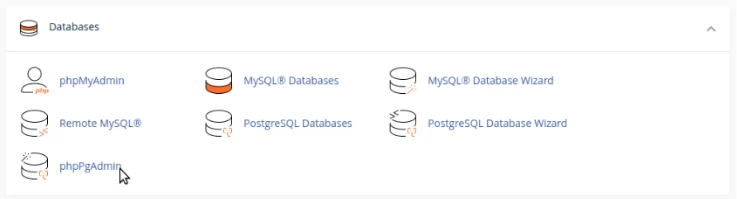
- After logging into the cPanel control panel, in the DATABASES section, we will access the phpPgAdmin
plugin
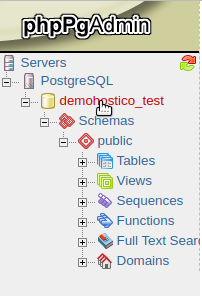
- Selectăm baza de date pe care dorim to export.
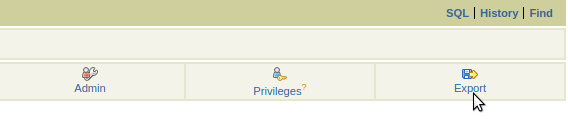
- In the part right we will select the export button
- We select the format in which we want to ît to export
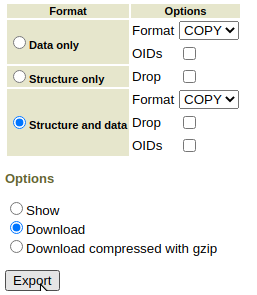
- After pressing the export button, the database will download locally.