Tutorials • Webuzo
Setting a cron in the Webuzo panel
Learn how to set a cronjob in the Webuzo panel, including the necessary steps and how to choose the frequency for script execution.
1
Views 982Updated 1 anPublished on 14/02/2020by Cătălin A.
Introduction
- A cron job represents a command in Unix operating systems that is executed at a specific time interval.
- The commands used below are examples.
Requirements
- Access to the Webuzo control panel.
Steps to Follow
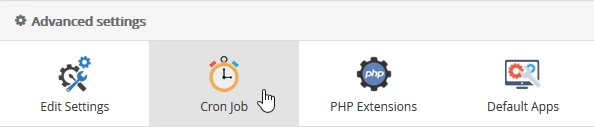
- Once logged in to the Webuzo administration panel, look for the Advanced settings section in the displayed window and select Cron job from there.
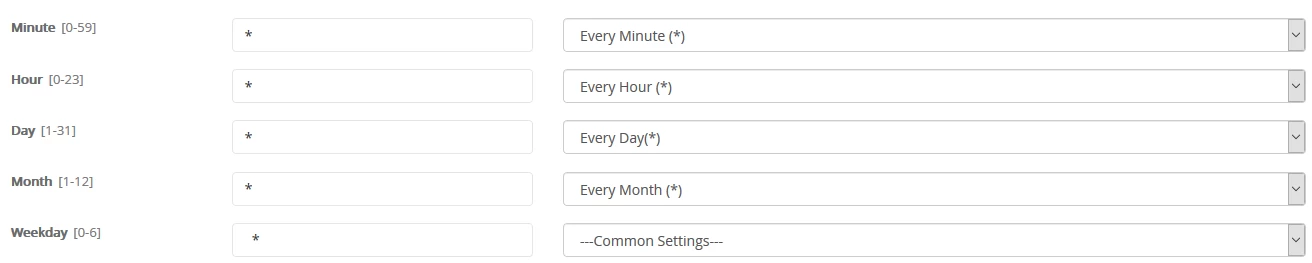
- In the window that will be displayed, you can choose the cadence (minute, hour, day, month) in which the script will run.
- In the Command field, the desired command for execution is completed. Usually, it points to a predefined php script on the hosting, after which the "Add Cron Job" button is pressed.

- After successfully adding this, a confirmation message will be displayed.

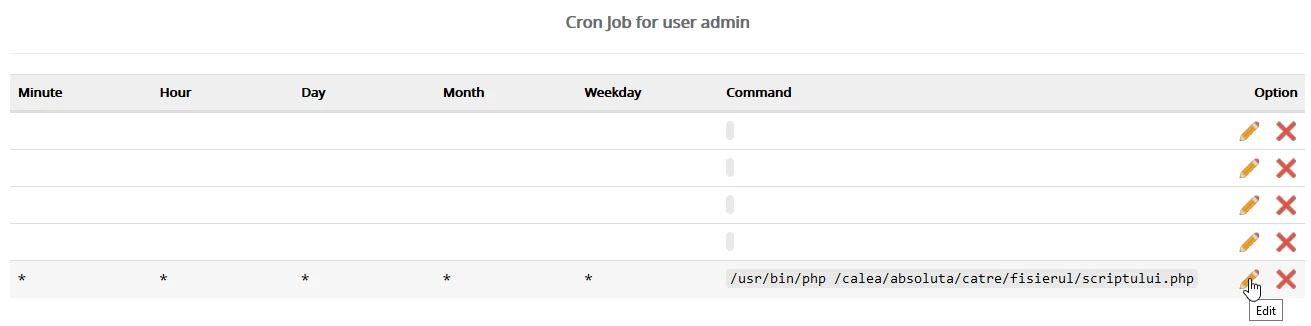
- Subsequently, the cron job can be viewed or edited at the bottom of the page in the section Cron Job for user admin.
- If everything went successfully, the cronjob will start running at the times specified by the user.