🌼 Spring Sale — Up to 60% discount for hosting and domains
TutorialsPlesk

System overview Plesk

Learn how to view system information and server resource usage in Plesk. Follow the simple steps to access essential details.

Views 534Updated 11 luniPublished on 30/05/2019by Florin Petran

Introduction

  • In this tutorial, we will show you how to view information about the system and information about the server resource usage.


Requirements

  • Access to the administration panel, user and password provided by Hostico.

Steps

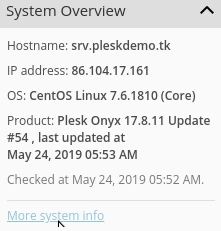
  • We log in to the Plesk panel, and on the right side of the screen we have System Overview.
System Overview Plesk

  • Here we can see information about the hostname, IP address, panel type, and its version.
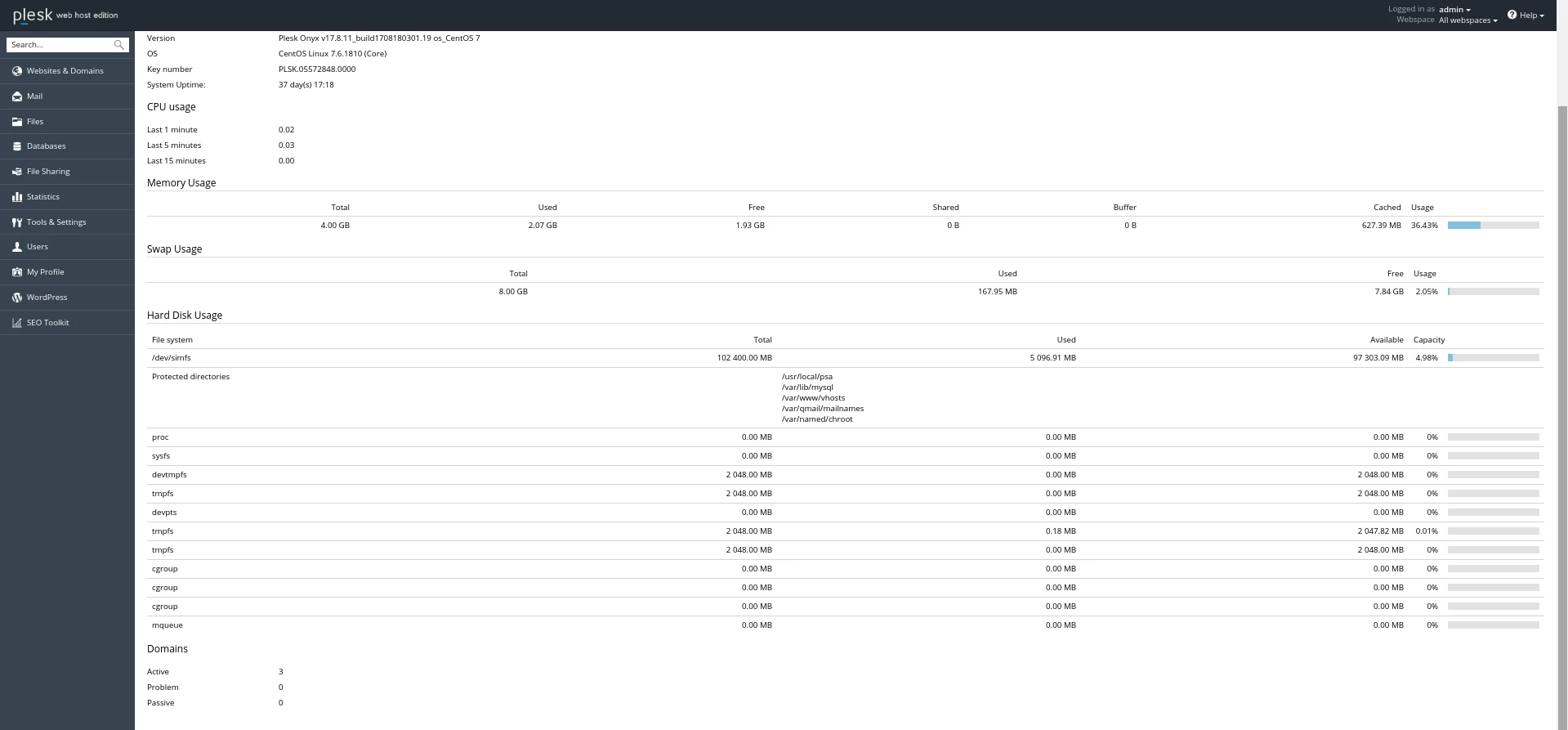
  • More information about resource usage can be found at More system info.
More system info Plesk

Similar Articles

Creating a Hostico client account.Tutorials /Commercial

Learn how to create a client account on Hostico, step by step. Follow the instructions to fill in the necessary details and comply with the terms.

4
by Mark Dohi
Views 1967
Updated 6 months ago
Published on 30/06/2017
Adding Additional Domains in the Webuzo PanelTutorials /Webuzo

Learn how to add an additional domain in the Webuzo panel. Follow the simple steps to manage domains and subdomains efficiently.

4
by Alexandru Rogojan
Views 1040
Updated 11 months ago
Published on 14/09/2017
Changing the email address associated with the Hostico client account.Tutorials /Commercial

In this tutorial, the procedure applied for changing the email address in the Hostico client account is exemplified.

2
by Mark Dohi
Views 1854
Updated 5 months ago
Published on 18/07/2018
Setting the nameservers from the Hostico client accountTutorials /Commercial

In this tutorial, we will present the method for changing (updating) the nameservers in the Hostico client account.

by Mark Dohi
Views 3540
Updated 2 months ago
Published on 22/05/2018
Web Statistics PleskTutorials /Plesk

Learn how to view statistics about your website's traffic through Plesk, including data about storage space and visitors, for an effective evaluation.

by Alexandru Jurca
Views 731
Updated 11 months ago
Published on 16/07/2021