Tutorials • Webuzo
Changing the password of an email account in the Webuzo administration panel
This tutorial presents the necessary steps to reset the password of an email account in the Webuzo admin panel.
Views 1152Updated 1 anPublished on 19/08/2017by Sebastian S.
Introduction
The Webuzo panel allows the management of email accounts associated with a domain (adding, deleting, and resetting the passwords of email accounts). This tutorial will present the necessary steps to reset the password of an email account in the Webuzo administration panel.
Requirements
- To reset the password of an email account we will need the Webuzo panel authentication details (username and password). This information can be found in the email with the panel administration details.
Steps
- We will log in to the Webuzo admin panel.
- After logging in, we will navigate to the email section and click on "Email Account":

- At the bottom of the page, in the section "Email account of ....", we will have a list of the existing email inboxes on the selected domain from the first field on the page.
- To change the password, we will click on the symbol
 on the right side of the email box.
- After clicking, on the left side of the symbol
 a field will appear where we will have the possibility to enter the new password desired.
 - After the new password has been entered in the field, we will press the button
 to save the changes. To cancel, we can press the symbol
  .
.

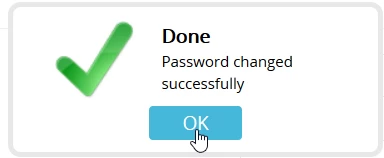
- If everything went smoothly, we will be greeted with a success message.